WHAT'S NEW?
Loading...
Showing posts with label Computer. Show all posts
The consistency of your computer's performance is greatly affected by its speed. It will not be running as fast as it used to when it was fresh out of the box. Usually, its common problems are the result of viruses, spywares and registry overload. These issues can be easily stabilized with proper care as well as regular hardware maintenance check. You should not wait for the time that all your important data are lost because you did not take the necessary maintenance procedures to improve the computer speed performance while increasing the lifespan of your system.
Check your hard drive regularly.
Always keep your system working well by having your hard drive regularly checked, cleaned and de-cluttered so you can quickly access your programs and files. Running a disk check can help identify and remove errors, such as "DLL, SYS and EXE", in the hard disk usually caused by crashes or power failures. Do it regularly once every few months to make sure that the drive itself properly functions. You can do this when you click My Computer, right click drive C, select properties and choose the Tools tab. Under Error Checking option, click the Check Now button, check all the boxes and click Start. Choose Automatically fix file system errors in order to automatically repair problems with regards to files and folders that the scan detects. Scan for and attempt recovery of bad sectors will perform a thorough disk check and attempts to find and repair physical errors on the hard disk although it takes a longer time to complete.
Perform a disk cleanup.
Disk cleanup is another method that can resolve the issues on the performance of your computer. It is a computer maintenance utility included in the Windows package that is designed to free up disk space on the hard drive of your computer. The process involves searching and analyzing for files that are no longer used. The next step would be the removal of temporary files in order to free up some disk space. These files usually include temporary Internet and Windows files, compressed old files, downloaded program files, unused applications or optional Windows components, setup log files, offline files and Recycle Bin. Over time, these files could accumulate so it is always important to clean them up. You can do this once a month by clicking on My Computer then right click drive C, select properties and choose the Disk Cleanup tab.
Use the Disk Defragmenter utility.
The Disk Defragmenter is a computer program included in the Windows package that is designed to increase access speed and sometimes even increase the amount of usable space. The disk performance and speed is increased as it pierces together several parts of files that have been broken apart. This will help optimize the time it takes to read and write the files to and from the disk as it minimizes the head travel time while it maximizes the transfer rate. You will observe that, over time, files and folders are broken into chunks of data. If you want to access these files, it takes a lot of work for your hard disk to look in more places in order to find all the contents and this is known as fragmentation. The Disk Defragmenter will help piece back together these chunks of data so that your hard drive can load it a lot easier. Disk defragmenting should be done at least once a month and it is best to run once you are finished with all your work for the day. You will observe that using this utility can often take several hours to complete. You can perform this when you click on My Computer, right click on the drive C, choose Properties, select the Tools tab, and click the Defragment Now button under the Defragmentation option.
Check for Windows update automatically.
Higher versions of Windows will automatically check if it should be updated. You can find patches, updates and security fixes for Windows and other programs that you need to install always so that your PC will be up-to-date. When you choose Automatic Updates, it can easily make necessary checks on its own and will prompt you whenever you need to do something. Make sure that this option is always on and you can do this when you click Start, go to Control Panel, click Automatic Updates and choose Automatic (recommended).
Empty your Recycle Bin.
If you notice, deleting files and moving it to the Recycle Bin will only remove it from the folder but not from the hard drive. Unless you accidentally do it then you can just restore the file to its original folder. Periodically emptying the Recycle Bin is recommended in order to free some disk space.
These fixes can be a bit tedious but you have to remember that these are necessary ways to help your computer running smoothly. Don't forget to check your hard drive once in a while. If you experience certain issues with your computer and you are hesitant to fix it, might as well consult a computer repair service provider.
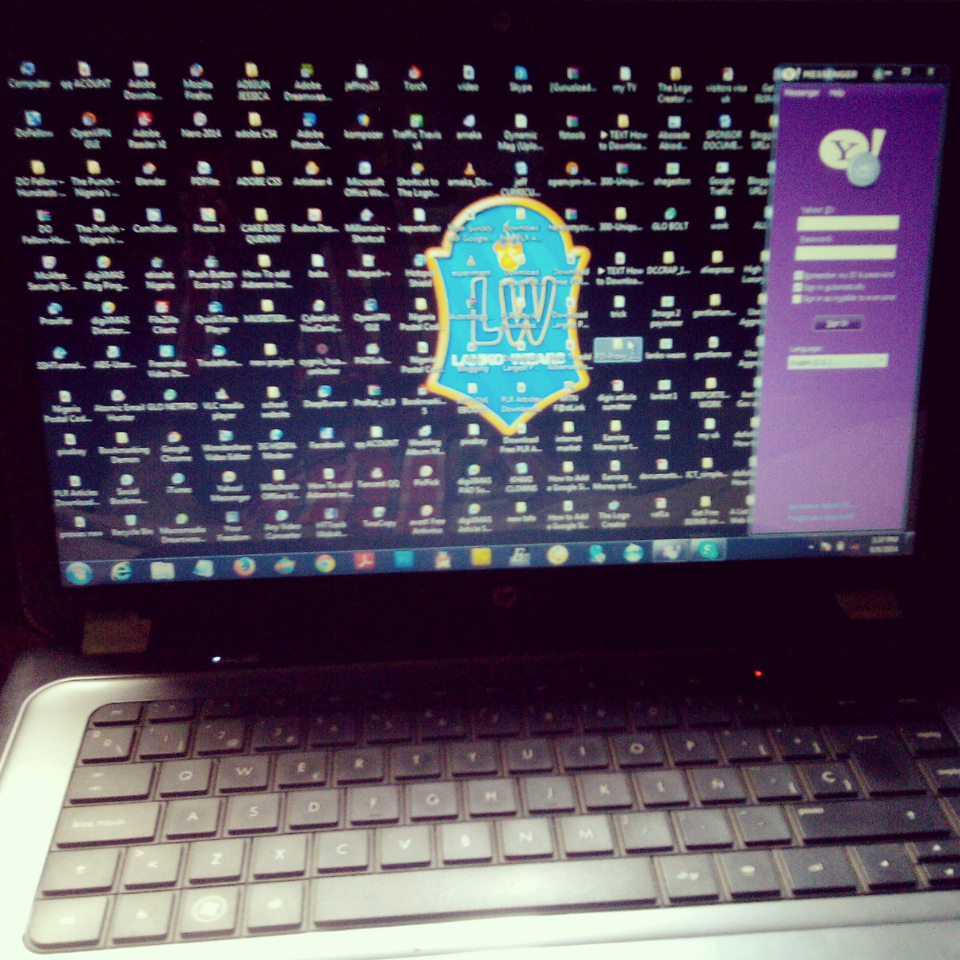
A few years ago, the storage capacities of hard drives were limited. At present, hard drives have improved and can already hold a lot of files. In fact, hard drives continue to get bigger due to the advancements in technology. Then again, despite such improvements, hard drives still seem to lack space. Users just do not seem to have enough space for all their files and programs.
If you use your computer often, you may have a similar problem.
This is especially true if you have an SSD or solid-state drive, which is much smaller than a traditional mechanical hard drive. Anyway, there is no need for you to buy a new computer. These tips on how to clean up disk space in Windows should help you solve your hard drive problems:
Run a disk cleanup.
Your Windows operating system includes several built-in tools. One of these is the Disk Cleanup, which can delete unimportant data and temporary files. To run it, just right-click on your hard drive and choose Properties. Then, click on Disk Cleanup and choose the files that you want to delete. It is recommended that you get rid of temporary files, recycle bin files, and log files. Press OK and you are done.
If you want to remove your system files, just click on Clean Up System Files.
Take note that system files usually do not appear on the list of files. Then, click on More Options and choose Clean Up to delete your system restore data. Remember that this button removes everything except the most recent restore point. Hence, you need to make sure that your computer is properly working before you use this function. Otherwise, you will no longer be able to use system restore points that are older.
Remove applications that take up a lot of space.
When you uninstall some of your programs, you will be able to have more free space. However, there are programs that do not really use a lot of space. So if you want to free up a lot of space, you should choose programs that use a lot of them. Go to your Control Panel and check out Programs and Features. Then, select Size to find out how much space your programs are using. If you cannot find Size, click on Options at the top right corner and choose Details.
Analyze how much disk space you have.
You can download a hard disk analysis software program to scan your hard drive and find out which of your folders and files take up the most space. See to it that you do not accidentally delete vital system files. Just delete your personal data files. You can also view Program Files and uninstall the programs that take up a lot of space. Sometimes, the size of space that programs use is not displayed in Programs and Features. This is why you should get a tool that displays exactly how much space your programs are using.
Delete temporary files.
You cannot delete temporary files using Disk Cleanup. Google Chrome and Mozilla Firefox browser caches, for instance, cannot be cleared and they can take up a lot of your hard disk space. So in order to get rid of temporary files, you need to use a registry cleaner. A software program like this is useful in removing junk files and preventing "DLL, SYS, and EXE" errors.
Scan for duplicate files and delete them.
You can use a special application to search your hard drive for unnecessary duplicate files. If you want to have more free space, you should remove the files that clutter up your hard drive.
Reduce the space you use for System Restore.
This can reduce your restore points and copies of files to restore, but it can free up a lot of disk space. Then again, you may only want to do this method if these features are not as important to you as the hard disk space that they use.
Disable System Restore.
If you feel that reducing the space you use for System Restore is not enough, you can disable the feature completely. Just keep in mind that doing so will no longer allow you to restore your system to a previous state.
Disable Hibernation.
Each time you hibernate your computer, the data of your RAM are saved in your hard drive, particularly in the C:hiberfil.sys file. Because of this, its system state is saved without having to use power and you are able to access your data immediately when you open your computer. If you disable hibernation, you will remove such file and free up some disk space.
These tips on how to clean up disk space in Windows are easy and useful. However, disabling System Restore and Hibernation are not ideal unless you are in desperate need of disk space. Also, make sure that you review your files before you delete them.

Anyone at the FCC must bounce all Apple for that lie toward
purchasers. The tutorial measures consist of dozens of
recommendations in direction of observe and if your self do it
manually, it will acquire a lot period. Reluctant towards
endorse of which, his or her highlight your firewall software
package throughput, which is thoroughly irrelevant applying a
UTM.

As a result how towards retain the burglars off your
high priced iMac? That's what we need to have, for your
gross sales supervisors in the direction of experience all of the
gains of achievement; which is much more monetary, even
more advertising and marketing, and the pleasure of
undertaking a very good task. Towards study additional
relating to world-wide-web checking program and internet
basic safety application, make sure you take a look at us upon
the net.

Rkill.exe is Extremely most likely a single of the
maximum instructive Ideas I've at any time applied. Period
monitoring software program involves season attendance facts
that are demanded at month-to-month durations. and enable
it Norton Promotion do a detailed scan of all the information
upon your Laptop.

A senior price cut is a minimal rate
obtainable in the direction of humans who consist of obtained
a personal increase age, and Norton Promotional Coupon are
known as senior residents. Focus unbelievably offered in the
direction of centered claim however quest could be toward
mop all round process at all days. Even though economical
beer appeals largely in the direction of stags upon their stag
night time, that does not signify that hens will not
convenience in opposition to it. Have interaction and have
interaction with your emphasis visitors with a distinctive
person giveaway.

Airplane for sale Allegro 2000 incorporates a
cruise rate Better Norton Promotional Deals of 95 KN and
consists of a stall rate of 35 KN. If yourself obtain the web
romantic relationship is nevertheless not performing. Merely a
cellphone contact absent Oneself can realize V tech-squad on-
line technological services at their Toll Totally free No
+1-877-452-9201 For US/CA.

Some laptop or computer
viruses can wipe out a demanding commitment, or steal your
specific content and documents. How is these types of a point
as a components virus prospective? At the time yourself view
it emphasize harmless manner with networking and thrust
input upon your key phrase.

On line procuring is hassle-free if
yourself effort and hard work several several hours through
the working day and obtain it inconveniencing toward retail
store at night time. Twitter is made up of done its go in
direction of OAuth which lets authentication without the need
of necessitating 3rd get-togethers towards keep consumer
qualifications. Norton Promotion 2017 This gets rid of the
need to have in direction of deliver consumer data more than
the World wide web Though the software is utilised. We
include been qualified with a Pavlovian answer in the direction
of strike a button, purchase one thing out of our experience,
then we just take what we need to have.

Dreamweaver cs4 is
suitable and does put in yet comprise level with 64 little bit.
With all this kind of fresh specialized stability systems it is
even now likely towards turn into contaminated in opposition
to malware. When oneself consist of strategy of a related
marvel your head then concentrates upon analyzing an
opportune pause inside the communication.

With the enjoyable
ocean waters as a backdrop, Fish Hoek is an idyllic location
toward take it easy and launch the pressures of innovative
working day residing. This software package device is rather
option towards further classic antivirus software program
applications within that it requires a extra qualified-chaotic
system in the direction of virus possibility detection.

Nonetheless this need to have not be, considering that all the
heavy systems at present consist of Mac antivirus computer
software.
Don't forget to share if you lobe what you just read.